Custom Events
Track signups, purchases, video plays, or any other interaction using the Pulse JavaScript API.
Custom events let you measure specific actions beyond pageviews. Call window.pulse.track() from anywhere in your JavaScript.
Basic usage
// Event name only
window.pulse.track('signup')

// Event name with properties
window.pulse.track('signup', { plan: 'pro', source: 'landing' })
Event names are trimmed and lowercased before storage, and may contain only letters, numbers, and underscores, up to 64 characters. 'signup' and 'SIGNUP' normalize to the same event; a name with a space or any other punctuation, like 'Sign Up', is rejected outright rather than merged.
Properties
Properties let you segment events when you view them on the dashboard. Any event can carry up to 30 properties. Each key is limited to 200 characters and each value to 2000 characters.
window.pulse.track('purchase', {
  product: 'annual_plan',
  currency: 'USD',
  amount: '99'
})
Note
Property values must be strings — a number or boolean anywhere in props gets the whole event rejected, not coerced. Quote the value in your code (amount: '99') rather than passing a number. Use consistent key names across calls for clean segmentation in the dashboard.
To attach a monetary value to an event, pass it as a third argument instead of a property:
window.pulse.track('purchase', { product: 'annual_plan', currency: 'USD' }, 99.00)Revenue must be zero or greater, and only applies to custom events, not pageviews.
Viewing event data
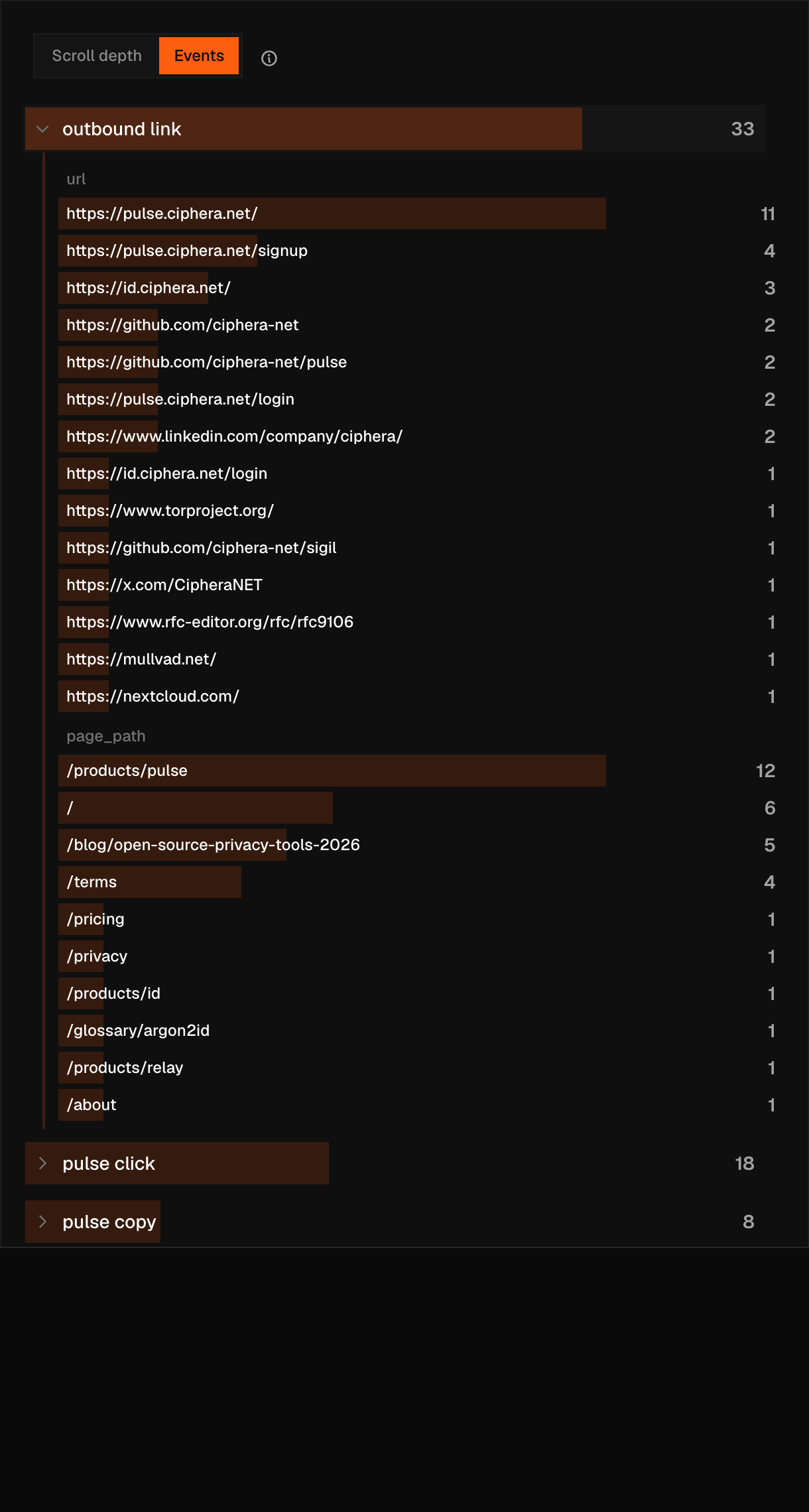
Custom events appear under the Events tab of the content signals card, next to Scroll depth. Click any event row to expand its property breakdown — for example, you can see signups broken down by plan. Goals are a separate feature, in site settings, for naming a conversion goal and mapping it to an event name for use in reports and funnels.
Rate limits
| Limit | Value |
|---|---|
| Events per session per minute | 60 |
| Events per site per minute | 1,000 |
These limits are enforced by the ingestion endpoint itself, not the tracking script, and they cover every event sent to it — pageviews included, not just calls to pulse.track(). A call that exceeds either limit gets an HTTP 429 back from the server; the tracking script doesn't check the response, so from your code the event just goes nowhere. Bulk-tracking server-side interactions through the same endpoint isn't something these budgets are sized for — if you need that, get in touch. To read your analytics back out programmatically, see the API.
Built-in auto-events
The following event names are reserved — they are fired automatically by the tracking script. You cannot fire them manually (calls will be ignored):
| Event | Fired by |
|---|---|
outbound_link | Core script (with url property) |
file_download | Core script (with url property) |
404 | Backend (a pageview whose page title contains "404" or "not found") |
rage_click | Retired — no longer collected, and still reserved |
dead_click | Retired — no longer collected, and still reserved |
content_copy, content_print, video_play, video_pause, and video_complete are retired the same way: reserved, no longer collected, and silently discarded if you send them.
Warning
Do not include personally identifiable information (email addresses, names, user IDs that map to real identities) in event properties. Pulse is designed to be free of personal data — storing PII in events undermines your GDPR/CCPA compliance posture.