Shared Dashboards
Share a public read-only view of your Pulse Analytics data with anyone — no login required.
A shared dashboard lets you expose your site's analytics publicly or to a specific audience without granting them a Pulse account. Useful for transparency pages, client reporting, or open-startup metrics.
This page is also the home of the Visibility tab in Site settings: every control on that tab is here, because there is only one feature behind them and splitting it across two pages would mean two descriptions to keep in step.
Enable sharing
Go to Settings → Visibility and toggle sharing on. Your dashboard becomes publicly accessible at:
https://pulse.ciphera.net/share/`id`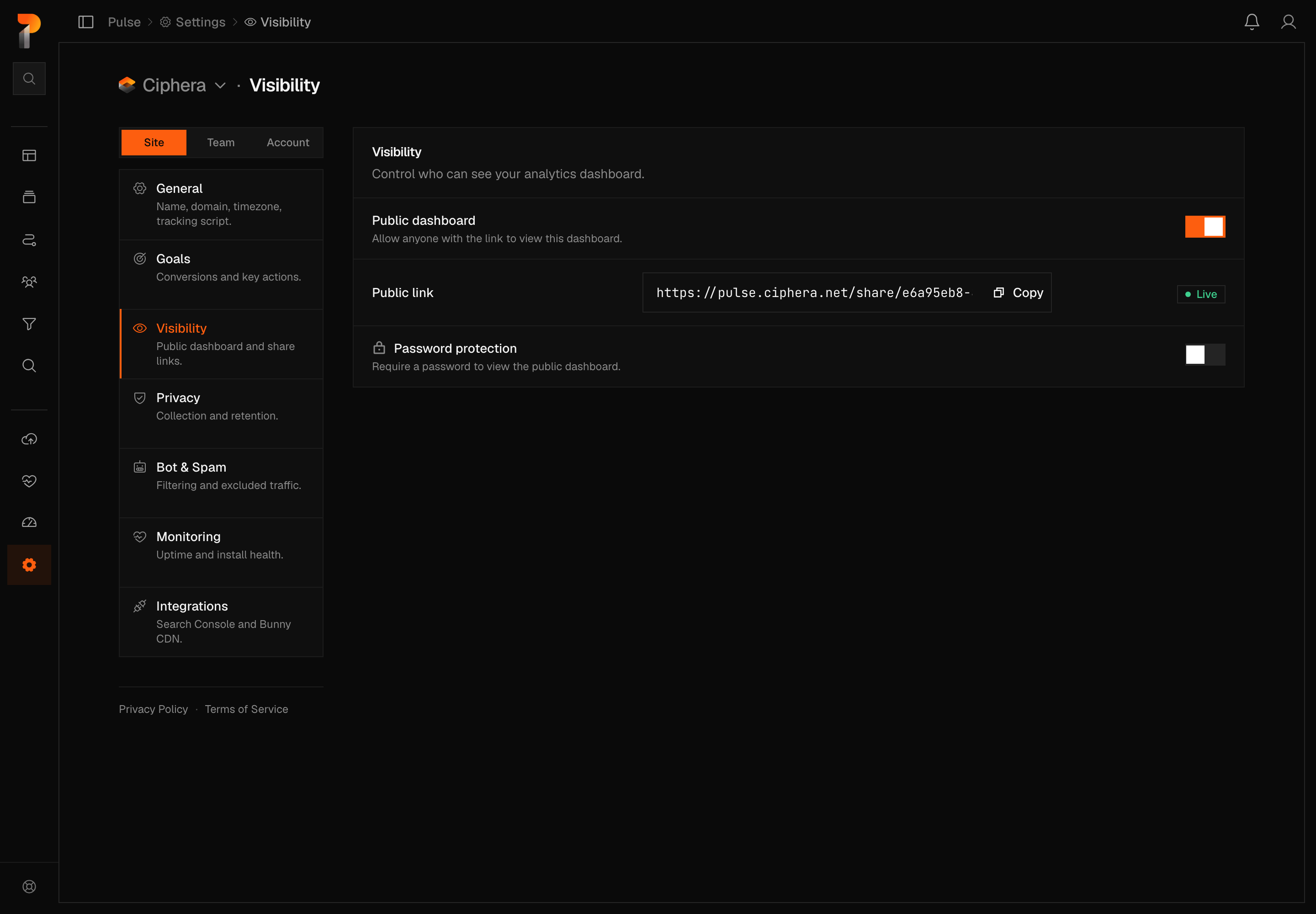
Turning the toggle on only stages the change — the panel's status chip reads Not saved yet until you save it, then flips to Live. The same is true in reverse: turning sharing off doesn't take the dashboard down until you save that too.
Password protection
Optionally add a password to restrict access. Visitors who navigate to your shared URL will see a password prompt with a CAPTCHA gate before the dashboard loads. The password can be changed or removed at any time from the same Visibility settings tab.
Access is granted by a cookie that expires after an hour — a visitor who leaves a password-protected dashboard open past that point is re-prompted rather than left looking at stale numbers, so a link shared for a meeting or an embedded view is only good for that long.
Note
The CAPTCHA gate uses Ciphera's own bot protection service. No third-party CAPTCHA scripts are loaded on your shared dashboard page.
What the shared dashboard shows
The shared view includes:
- KPI cards (unique visitors, total pageviews, pages per visit, bounce rate, visit duration)
- Traffic chart
- Top pages, entry pages, and exit pages
- Referrers, traffic channels, and campaigns
- Audience (countries, cities, languages)
- Tech (browsers, OS, devices)
- Scroll depth and goal counts
- The live count — the people on the site in the last 5 minutes — under the site name. It is a number only: the realtime view itself is not available on a shared dashboard.
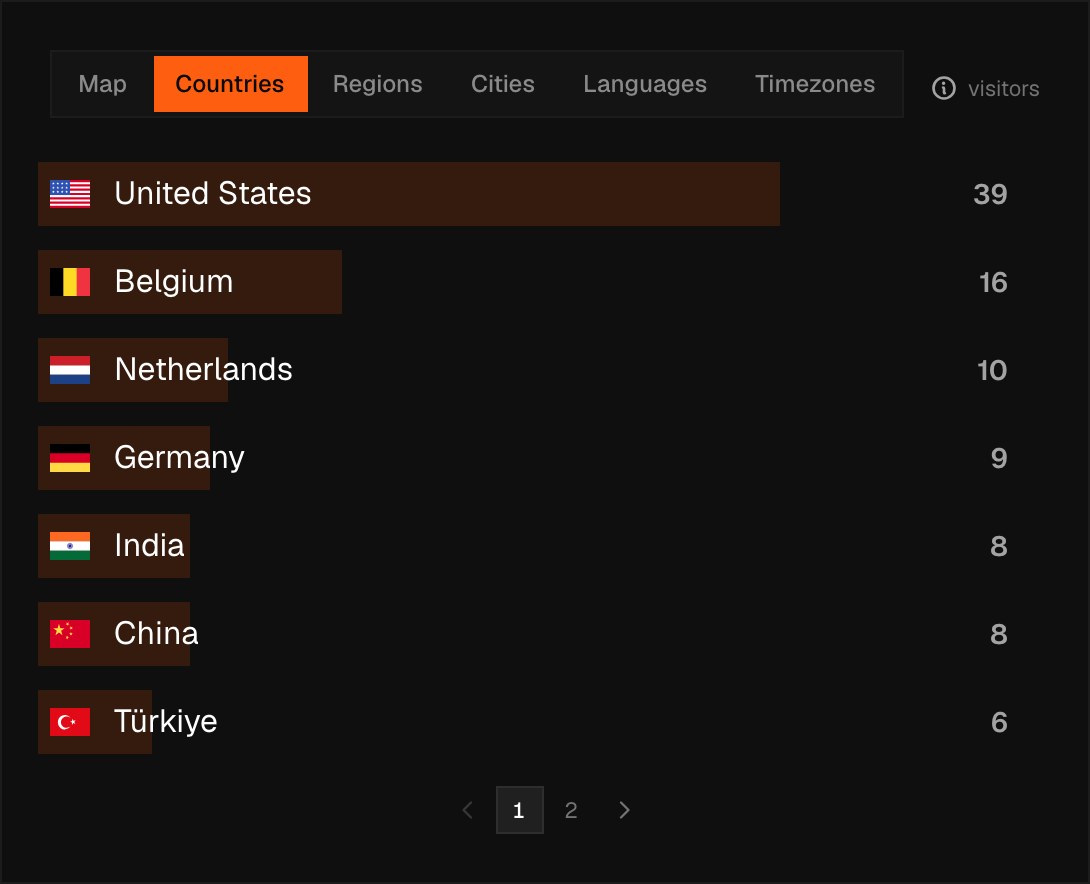
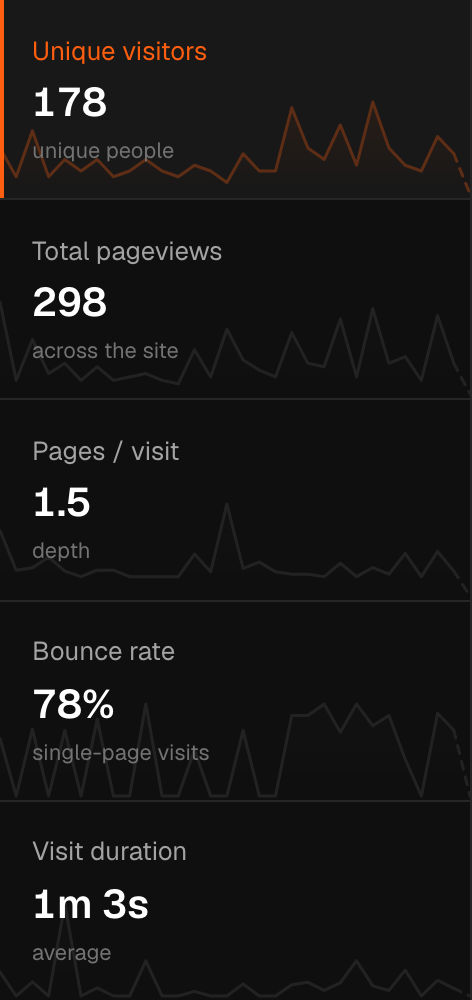
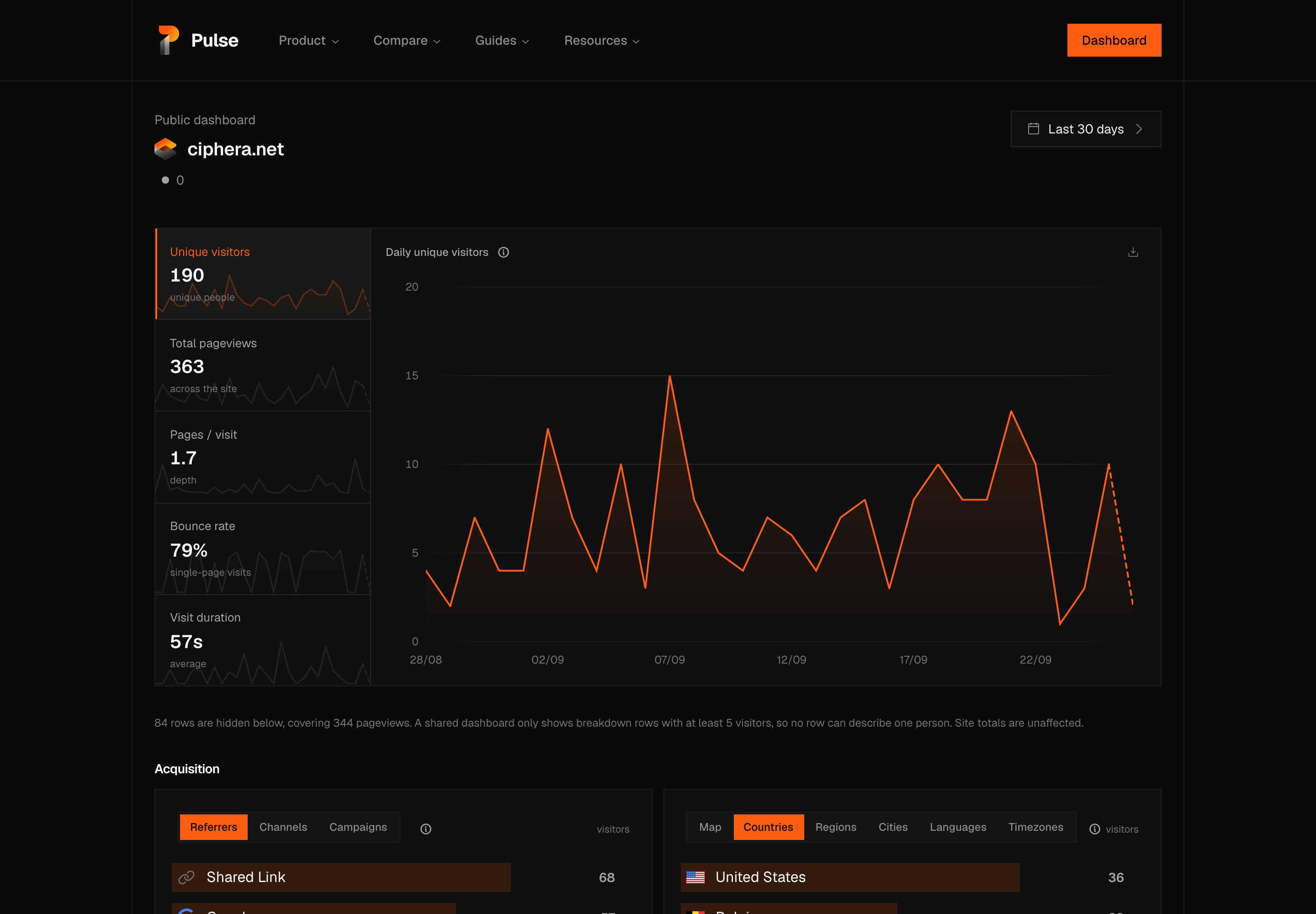
The shared dashboard respects your site's privacy settings. If you have disabled geographic data or screen resolution tracking in your site settings, those panels will not appear in the shared view.
Small numbers
A shared dashboard shows the same numbers your team sees for the same range, small ones included: a page, a city or a browser with one visitor appears like any other row, and a quiet day on the chart keeps its bounce rate and visit duration. Until 21 October 2026 a shared dashboard left out every row describing fewer than five visitors and named what it had hidden in a line under the metric rail. That rule has been removed from every part of Pulse, so the line no longer appears.
On a site with little traffic, a shared dashboard can therefore show one visitor's city, browser and device side by side. Share a link only when that is fine for your site.
Date range
A shared dashboard shows the same twelve rows as the full dashboard, and four of them are available: Today, Yesterday, Last 7 days and Last 30 days, with Last 30 days selected by default. The rest — the longer ranges, the calendar months and years, All time and Custom range… — are greyed, with the line "A shared dashboard shows fixed ranges." A shared dashboard does not remember a view: every visit opens on Last 30 days.
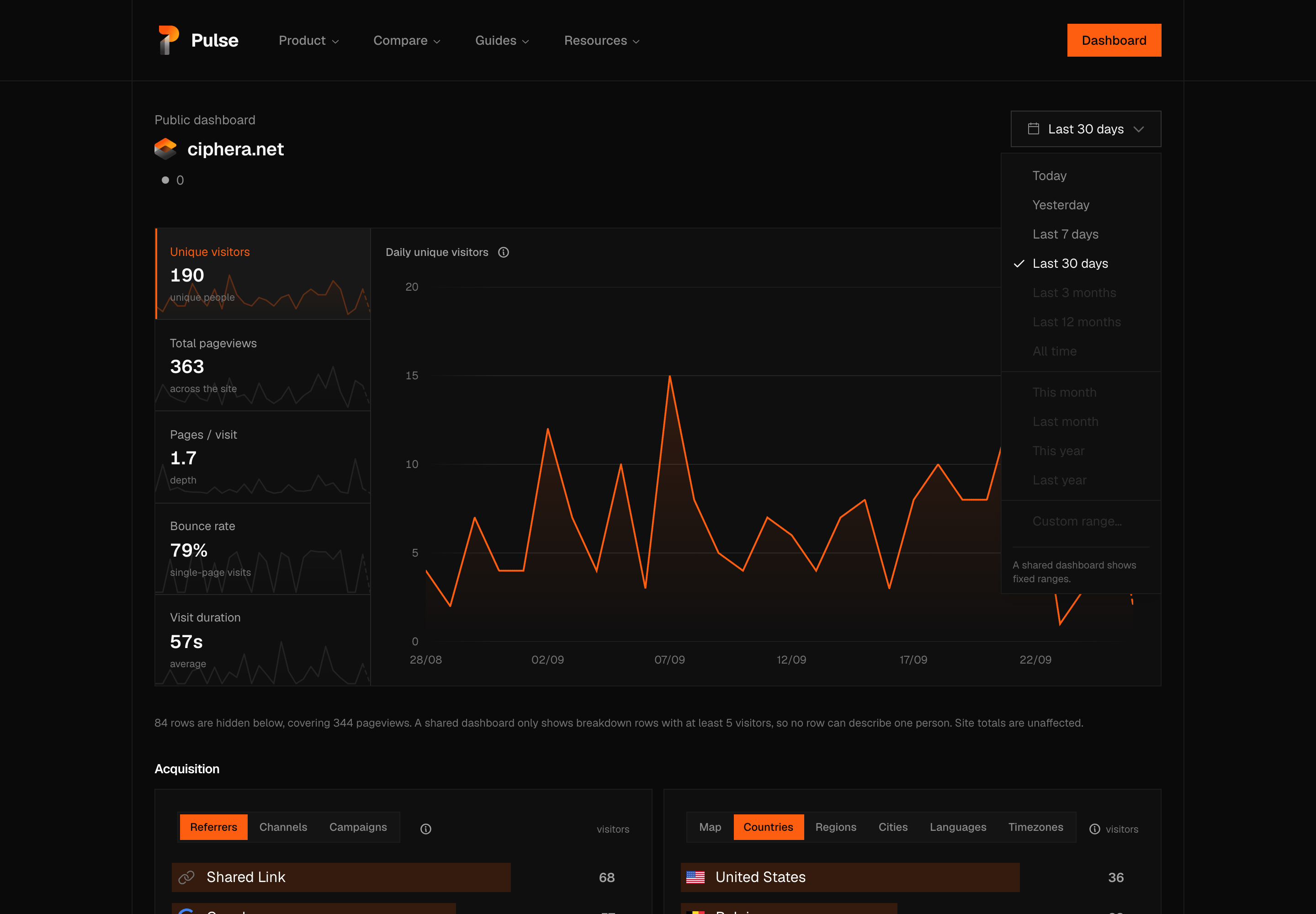
The restriction is enforced on the server as well as in the picker. A public-scoped read serves only these four fixed, day-granular windows — an arbitrary custom range or a sub-day bucket could reconstruct a single visitor's session on a link anyone can open — and a period outside the list is rejected with an error rather than silently answered as 30 days; only an omitted period falls back to that default.
The picker also carries no arrows to shift the window backward or forward, and shows no comparison to the period before it — both need the same arbitrary date math a shared dashboard refuses to run.
Auto-refresh
The shared dashboard automatically refreshes every 30 seconds. This keeps the real-time count and KPI cards current for anyone who leaves the tab open.
Warning
Enabling a shared dashboard makes your traffic data visible to anyone with the URL. If your analytics contain paths or referrers you consider sensitive, review your privacy settings before sharing.