Visitors
See the individual readers behind your numbers — off by default, short-lived identities, and never on a share link.
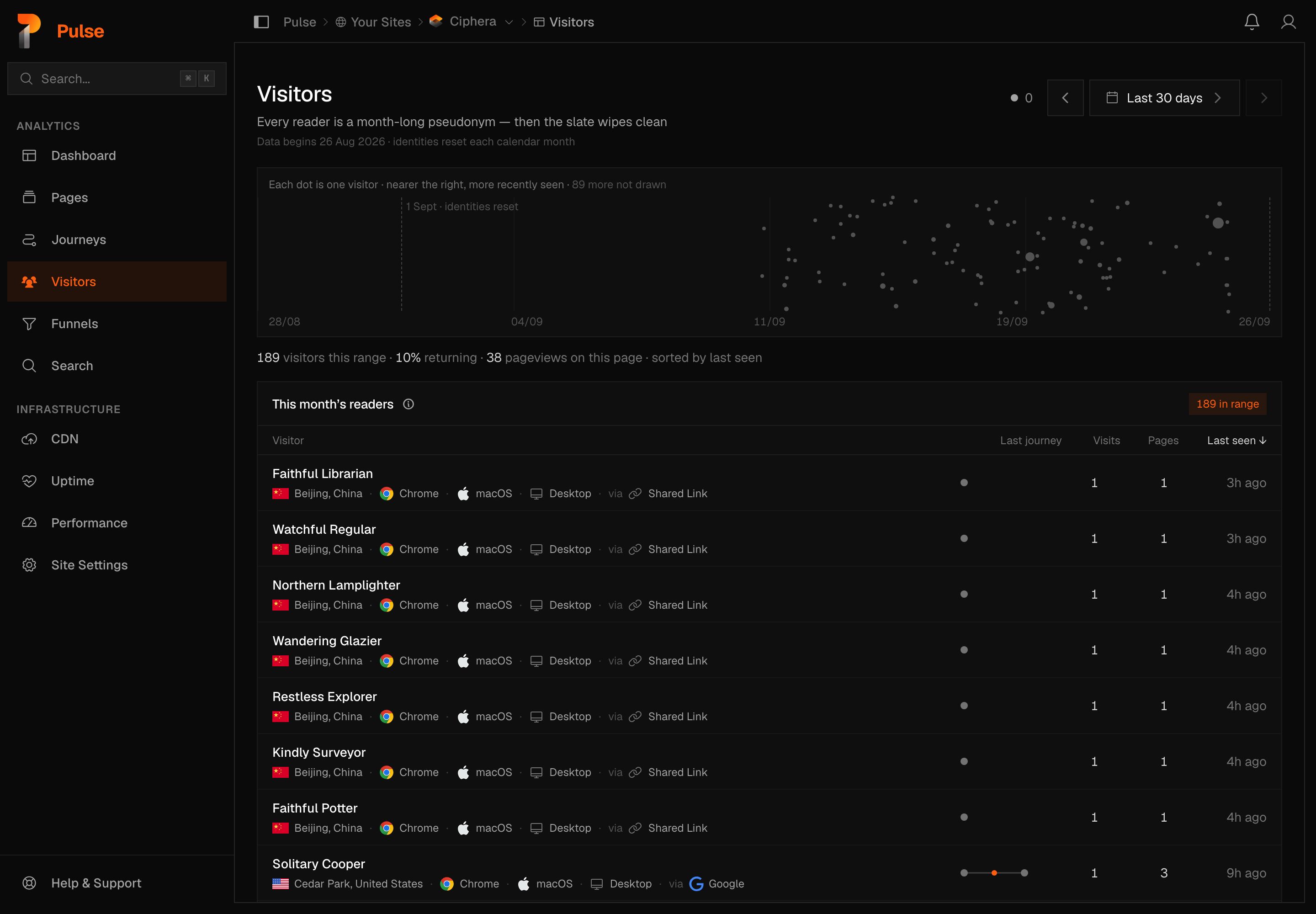
The Visitors page shows the individual readers seen in a range, and lets you open one: the visits they made, the pages of each visit in order, and what they did on those pages.
Warning
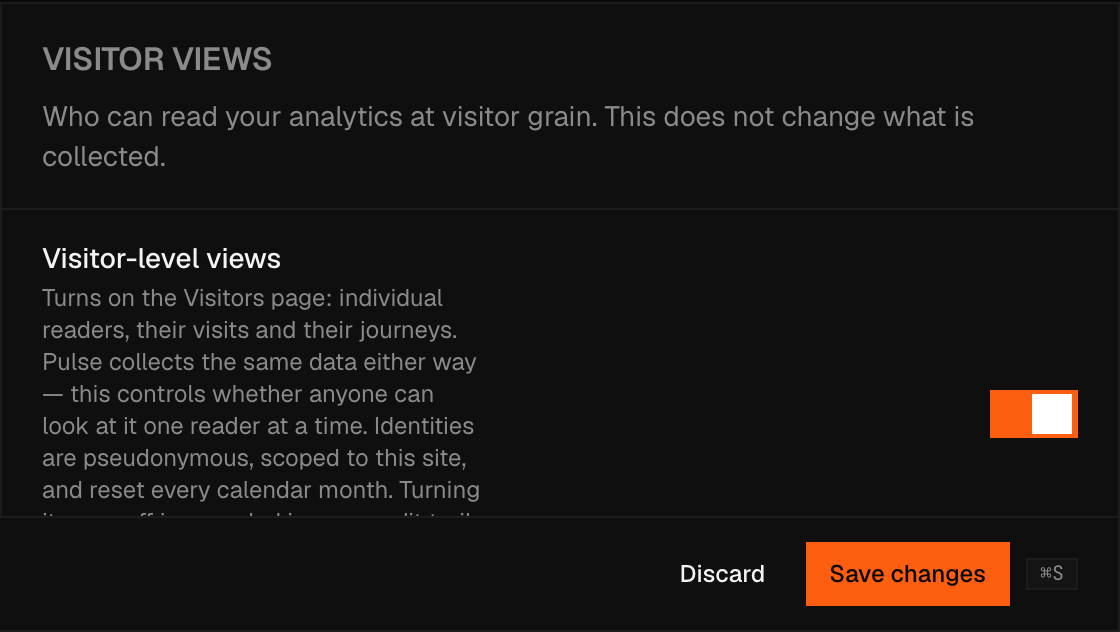
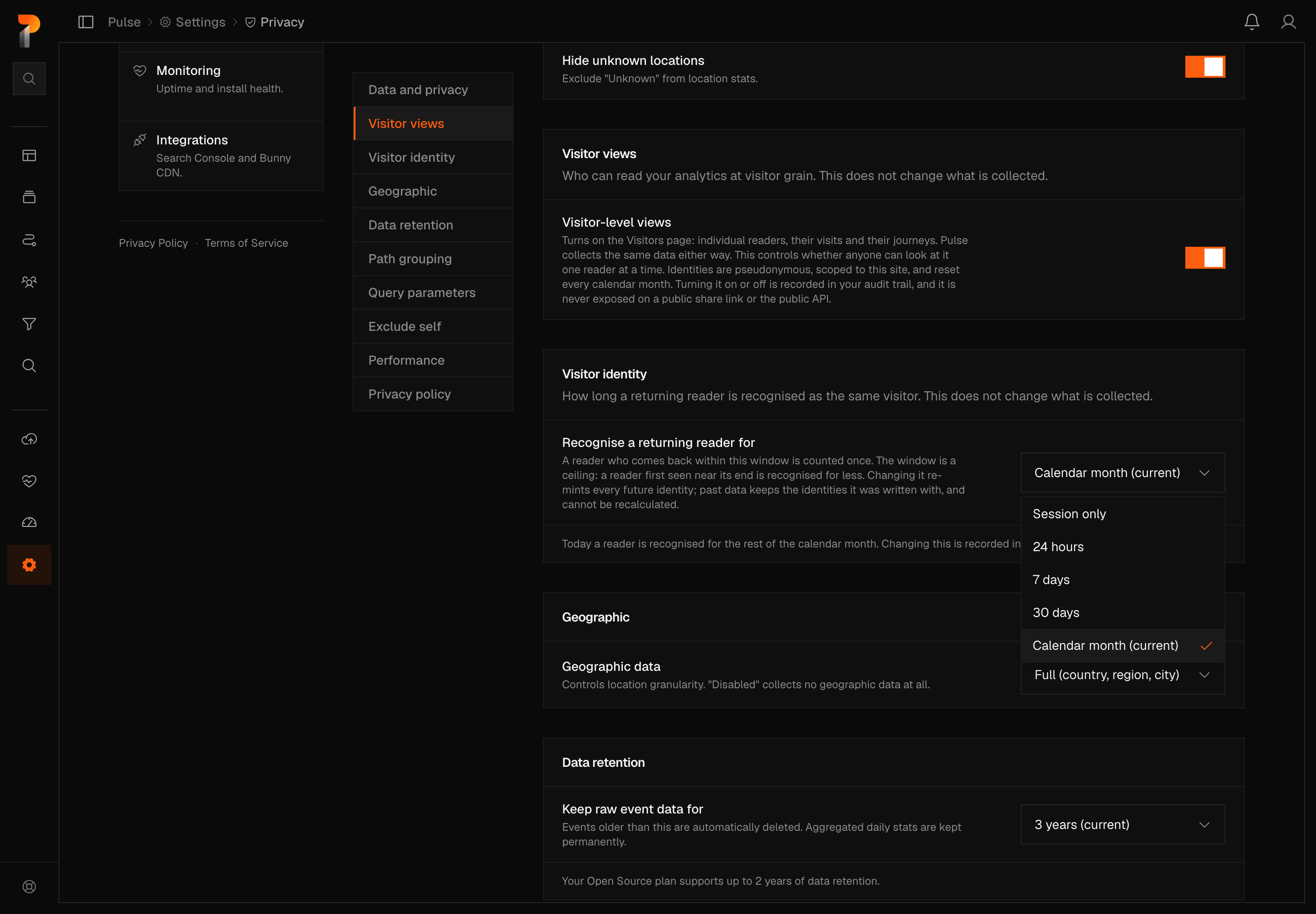
It is off for every site, including existing ones. A site owner or admin turns it on at Settings → Site → Privacy → Visitor views, and turning it on or off is recorded in the audit log.
It changes what you can see, not what Pulse collects
Every column this page reads was already being written for your site. The switch controls whether anyone can read those columns one reader at a time. Turning it on collects nothing new; turning it off hides the view and leaves the data exactly as it was.
What a "visitor" is here
A server-derived pseudonymous key, re-minted on the site's identity window — by default the start of every calendar month in your site's timezone — shown under a generated two-word name. The rest of this page describes that default; if you have shortened the window to 24 hours, 7 days or 30 days, read "month" below as whichever span you picked. A site set to Session only works differently: no visitor identity is written at all, so a returning reader is never recognised across visits, and the roster falls back to the plain per-day count every site used before 26 August 2026.
- No name, no email, no account, no cookie, nothing stored on the reader's device.
- It cannot be linked to the same reader on another site.
- At the end of the window it stops existing: a returning reader comes back as a new visitor, under a new name.
- History begins 26 August 2026. The calendar will not offer earlier days, and a range that starts earlier says so on the button — "Last 12 months · since 26 Aug" — because earlier rows carry no visitor identity at all, and no backfill is possible: the identity derives from an IP address that was never stored.
Because the identity resets on that window, a reader who visits in August and again in September is two visitors, not one. That is the trade the design makes on purpose: long enough to make a month's numbers honest, short enough that no long-term profile can exist. Shortening the window trades more of the first for more of the second.
The list
Each row is one reader in the selected range: their name, where they were, what they were using, and how much they read. Above it, a presence field plots the readers in range as dots — nearer the right, more recently seen. Hovering or focusing a row lights that reader's dot, so you can find them in the field.
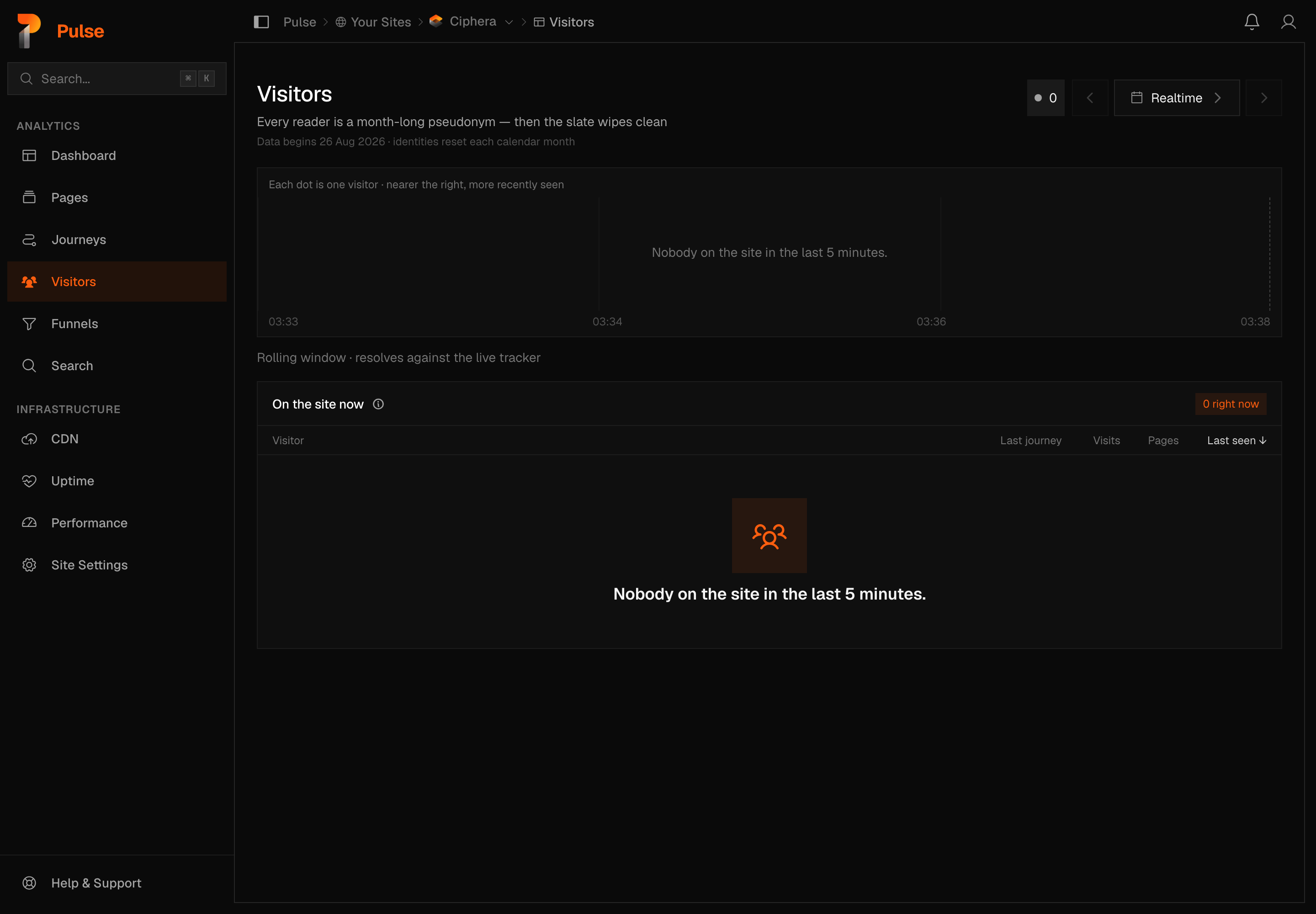
The live count sits beside the view switcher: a small dot and the number of readers on the site in the last 5 minutes — the same count, in the same shape, as on the dashboard. Click it and the page turns into the live view: the roster lists the readers of the last 5 minutes, its heading becomes "On the site now", and the line under the presence field reads "Rolling window · resolves against the live tracker" instead of the range's totals. An empty roster says "Nobody on the site in the last 5 minutes." Click the count again to return to the range you were on.
Opening a visitor
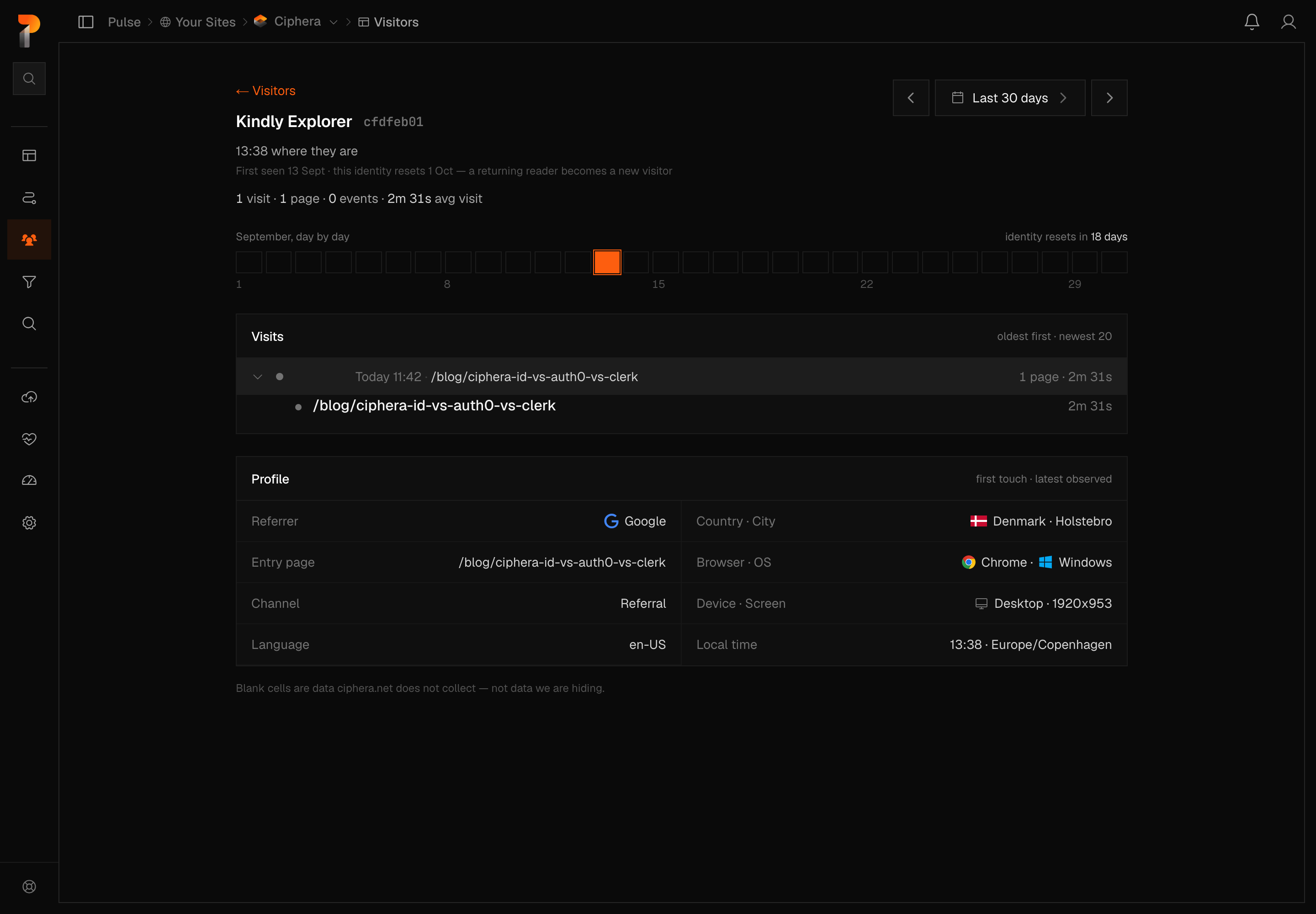
- The month ribbon shows that identity's month, day by day, so you can see the shape of their reading at a glance. It reads left to right, day 1 to 31.
- Visits lists each visit, oldest first, on the page that still holds the most recent ones — the same direction the ribbon and the steps read.
- Profile is what was true at first touch and what was seen most recently.

Inside a visit
Expand a visit and you get its pages, in order, with the events that fired while each page was open listed beneath it.
- A page you genuinely visited twice appears twice — those are two pageviews.
- The counters at the top (Pages · Outbound · Downloads · Events) filter the steps by kind. They count everything loaded and do not change as you filter.
- Outbound clicks and downloads are described in words — "Left for example.com/pricing", "Downloaded price-list.pdf" — because Pulse records those itself and knows their shape.
- Your own custom events keep their name and every property. Only you know
what
checkout_stepmeans, so Pulse shows it rather than guessing.
If you have added the optional interaction script, clicks, copies and form submits appear here too.
Where visitor-level data never appears
Note
Visitor-level data is never exposed on a public share link, in the public read API, in a CSV export, or to Ciphera's internal admin tools — regardless of this setting.
It also respects your other privacy settings: a site collecting country only will not show a city here, and a site that does not collect page paths will not show them.
Blank cells
A dash means Pulse does not collect that for this site — not that it is hiding something. Narrow a setting and the cells it governs go blank rather than disappearing, so the page stays honest about the shape of what it knows.